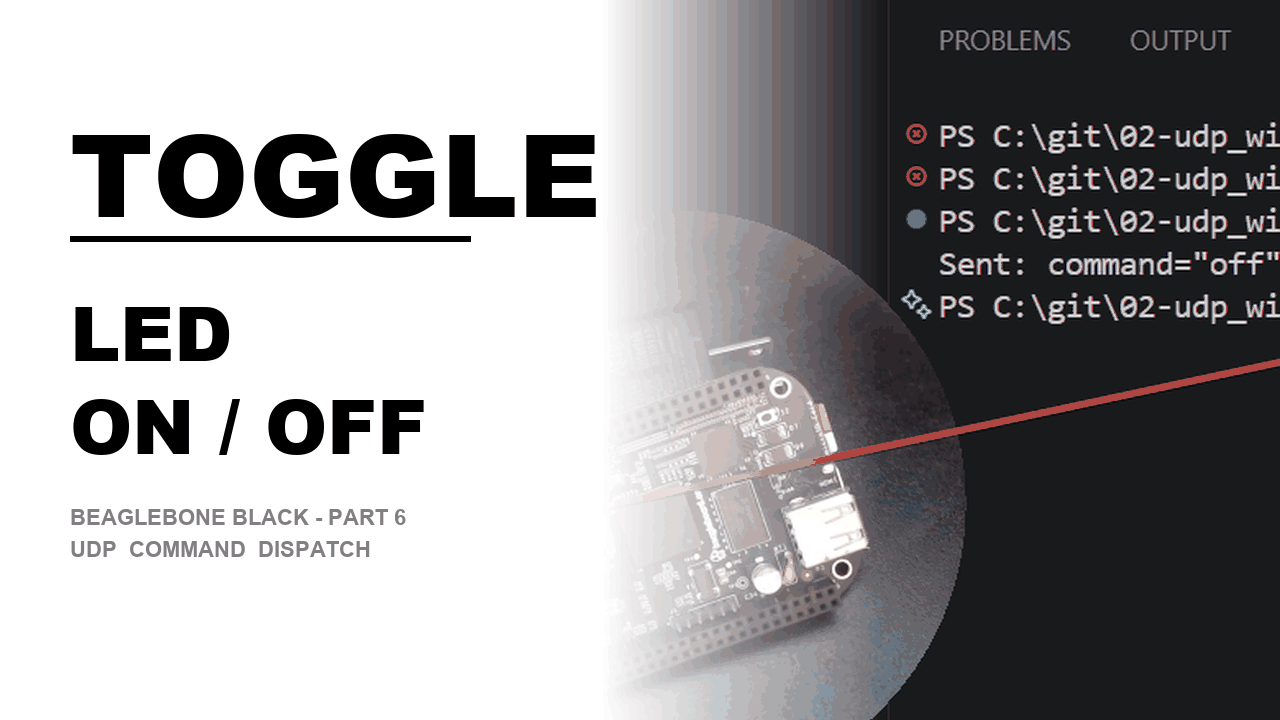
Why I Started Using This Tool
Every UDP post up to this point had the same limitation: the BeagleBone was a parrot. It caught
whatever word I shouted at it over the network and repeated it back on screen —
printf("running with command=\"%s\"\n", msg.command); — without ever acting on it. That
bugged me. A command field that only gets printed isn't really a command, it's decoration.
I wanted the next logical step: type on from a Windows PC and watch a real LED light up on
the board sitting in front of me; type off and watch it go dark. Turning a string
comparison into a physical, visible action is what finally made the whole series feel like remote
control instead of a networking demo.
What It Does
In plain English: the BeagleBone now runs a small dispatcher. It listens forever, and every time a UDP packet lands, it checks what word is inside and does something different depending on the answer — instead of just printing it and moving on.
- The wire format doesn't change at all — why it matters — it's still the exact same
command_msg_tfrom the previous two episodes, two fixed-sizechararrays sent raw over the socket. Nothing about how the message travels changes; only what happens to it after it arrives.
typedef struct command_msg {
    char command[32];
    char data[32];
} command_msg_t;recvfrom()moves inside the loop — how you use it — last episode,recvfrom()ran exactly once as a one-shot trigger, then the board went off and ran its own independent loop. That breaks the moment every packet is a separate instruction: the board has to go back and wait for the next command after handling each one, so the receive call has to live insidewhile (1)instead of in front of it.- A real
strcmp()dispatch instead of a print statement — time saved chasing "why didn't it do anything" —msg.commandgets compared against known strings, and each match calls a different function. The first time a stray or unrecognized packet hits the fallbackelse, you'll be glad it's there instead of finding out the hard way.
The walkthrough
The listening loop is the part that actually trips people up coming from the trigger episode. Because every packet now carries its own instruction, the receive call has to be inside the loop, and a failed receive shouldn't kill the program — it should log the problem and keep listening:
while (1) {
    from_len = sizeof(from_addr);
    ssize_t received = recvfrom(sock_fd, &msg, sizeof(msg), 0,
                                 (struct sockaddr *)&from_addr, &from_len);
    if (received < 0) {
        perror("recvfrom failed");
        continue;
    }
    /* handle msg.command, then loop back around and wait again */
}
LED control isn't new material — it's the exact /sys/class/leds/<name>/brightness
sysfs interface from the LED-blink episode, just wired up to a network trigger instead of a timer. A
one-time setup call at startup hands manual control of the LED over to the program:
#define LED "/sys/class/leds/beaglebone:green:usr3"

FILE *trig = fopen(LED "/trigger", "w");
if (trig) { fputs("none", trig); fclose(trig); }
with a small helper doing the actual on/off write:
void set_led(int on) {
    FILE *led = fopen(LED "/brightness", "w");
    if (!led) { perror("open brightness"); return; }
    fputs(on ? "1" : "0", led);
    fflush(led);
    fclose(led);
}
Then the new piece — comparing msg.command against known strings and branching:
if (strcmp(msg.command, "on") == 0) {
    set_led(1);
    printf(" -> LED ON\n");
} else if (strcmp(msg.command, "off") == 0) {
    set_led(0);
    printf(" -> LED OFF\n");
} else {
    printf(" -> unrecognized command \"%s\", ignoring\n", msg.command);
}
That trailing else isn't optional. The moment a program reacts to network input, garbage
will eventually show up — a typo, a stray broadcast from something else on the LAN — and
silently ignoring anything that isn't "on" or "off" is what keeps a bad
packet from doing something undefined instead of just doing nothing.
On the Windows side, the sender stops hardcoding a single command and takes it from the command line
instead, so one compiled .exe sends either message:
if (argc < 2) {
    printf("Usage: %s <on|off>\n", argv[0]);
    return 1;
}

command_msg_t msg;
memset(&msg, 0, sizeof(msg));
strncpy(msg.command, argv[1], sizeof(msg.command) - 1);

sendto(sock, (char *)&msg, sizeof(msg), 0,
       (struct sockaddr *)&dest_addr, sizeof(dest_addr));
Run .\win_sender.exe on, then later .\win_sender.exe off — two separate
one-shot packets, both handled by the same always-listening loop on the BeagleBone:
Waiting for commands on port 9999...
Received command="on" from 192.168.0.23:54821
 -> LED ON
Received command="off" from 192.168.0.23:54902
 -> LED OFF
My Honest Pros & Cons
✅ What I Love
- The struct didn't have to change at all — everything new lived in what the receiver does with a field that already existed, not in the wire format. That's a good sign the earlier design was solid.
- Moving
recvfrom()inside the loop is a genuinely satisfying "click" — it's a one-line change in position, but it's the exact thing that turns a one-shot trigger into a persistent remote-controllable listener, and it maps cleanly onto real device firmware that has to sit and wait for commands forever. - Reusing the sysfs LED interface end to end — no new hardware concepts, just the
trigger/brightnessfiles from an earlier episode called from a different place. It's proof the abstraction (network in, sysfs out) actually composes.
❌ What Could Be Better
- Only two commands exist right now —
onandoffare enough to prove the dispatch pattern works, but a real chain ofif/else ifgets unwieldy fast past a handful of commands; a lookup table of{name, handler}pairs would scale better. - Still no acknowledgment back to the sender — Windows fires a packet and has no idea whether the LED actually toggled, whether the packet arrived, or whether it was silently dropped. The dispatcher logs locally, but the sender is flying blind.
strncpytruncation isn't checked — ifargv[1]is longer than 31 characters it gets silently cut off rather than rejected, which is fine for"on"/"off"today but is the kind of thing that bites you later with longer command names.
Pricing: Is It Worth It?
No dollar cost on either side — this is the same sysfs interface and the same POSIX/Winsock socket APIs
used throughout the series, both already available for free on their respective platforms. The only
"cost" is a couple of new lines: the one-time trigger write at startup and the
strcmp() chain itself, both trivial compared to what they unlock.
My take: turning a printed string into a real hardware action for the cost of oneif/elsechain and a sysfs write is about as good a return as this series has offered yet.
Final Verdict
If you've already got the one-shot Windows trigger working from the last episode, this is the natural
payoff: the same struct, the same socket code, just pointed at something physical instead of
stdout. Beginners should walk away with two habits — move recvfrom() inside
the loop the moment a program needs to handle more than one command, and never skip the fallback
else once real network input is driving real behavior. If you already understand sysfs LED
control and UDP separately, the only genuinely new idea here is the dispatch pattern itself — comparing
a received string against known commands and branching — which is the same shape you'll reuse for
every command this series adds from here on.