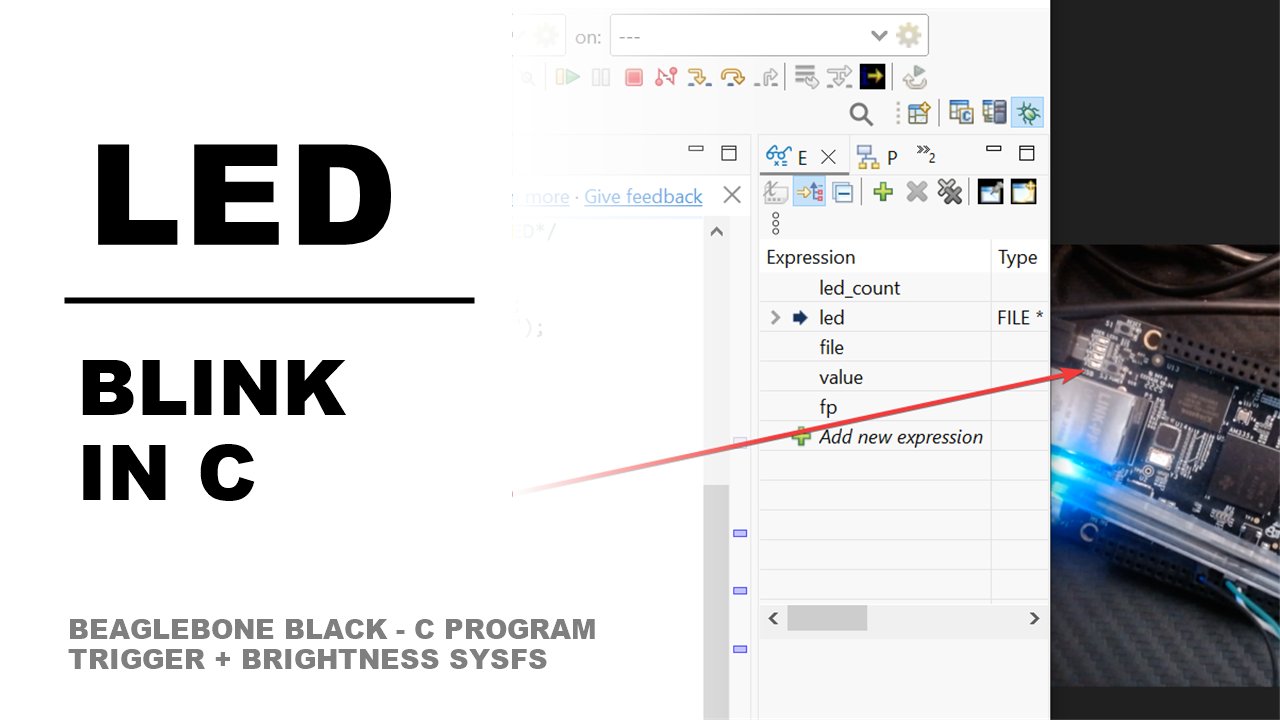
Why I Started Using This Tool
Last time, I flipped a BeagleBone Black USER LED on and off by hand with echo from the
shell. That's fine for poking at hardware interactively, but it's not how you'd actually drive an
LED from a real program — you want the same two sysfs files, trigger and
brightness, controlled from C instead of a terminal. So I wrote the smallest program
that could do it: take manual control of the LED once at startup, then flip it on, wait, flip it
off, wait, forever. Simple on paper, but it surfaced a couple of stdio quirks — rewind()
and fflush() — that aren't obvious the first time you write to a sysfs attribute file
from C instead of the shell.
What It Does
A Linux LED under /sys/class/leds is like a stage light with two knobs taped to it: a
rulebook (trigger) that says who's currently allowed to touch the
dimmer — the kernel itself, or you — and the dimmer (brightness)
itself. The program below writes none into trigger once, to take that
dimmer away from the kernel, and then repeatedly writes 1 and 0 into
brightness with a 2-second pause between each.
- One macro, no typos — the LED path is
/sys/class/leds(plural — leds, not led), an easy typo that produces a confusing "No such file or directory" instead of an obvious one. Defining it once as a macro means you only get it right (or wrong) a single time. - Two files, two jobs —
triggerdecides who drives the LED;brightnessis the actual on/off switch, and for a simple two-state LED like the BBB's USR LEDs it only ever needs1or0. - stdio isn't a dumb pipe — sysfs attribute files don't behave like regular files, but the C standard library still tracks a write position for them, so every write needs a
rewind()before it and anfflush()after it.
The Walkthrough
Every LED the kernel manages shows up as a folder under the LED class:
/sys/class/leds/<led-name>/
├── brightness   <- write 0 or 1 to set it
├── trigger      <- write a trigger name to hand control to the kernel,
│                    or "none" to take manual control yourself
└── ...
cat trigger on any LED dumps the full list the kernel compiled in, with the active one
in [brackets]:
| Trigger | What it does |
|---|---|
none | Nobody drives the LED automatically — you control it entirely through brightness |
heartbeat | Kernel pulses the LED in a "lub-dub, pause" pattern on its own, continuously |
timer | Kernel blinks the LED on a fixed on/off period you configure |
oneshot | Kernel fires a single pulse each time you trigger it — good for "flash once per event" |
For our program we don't want the kernel driving the LED at all, so the first thing it does is
write none into trigger to take manual control. Here's the full program —
a simple 2-second on/off loop:
#include <stdio.h>      /* fopen, fputs, fclose, rewind, fflush, perror */
#include <unistd.h>     /* sleep */

#define LED "/sys/class/leds/beaglebone:green:usr3"

int main(void) {
    FILE *trig = fopen(LED "/trigger", "w");
    FILE *led  = fopen(LED "/brightness", "w");

    if (!trig || !led) { perror("open"); return 1; }

    fputs("none", trig);   /* hand manual control to us */
    fclose(trig);          /* only need to write trigger once */

    while (1) {
        rewind(led);
        fputs("1", led);
        fflush(led);
        sleep(2);  /* ON  */

        rewind(led);
        fputs("0", led);
        fflush(led);
        sleep(2);  /* OFF */
    }
}
Two details here are easy to miss if you've only ever written to regular files:
rewind(led)resets the stream's write position back to the start before every write. Sysfs files don't grow or append like a log file, but stdio's own internal bookkeeping still moves forward after eachfputs()— without the reset, the next write doesn't land where you expect.fflush(led)forces stdio to hand the buffered"1"or"0"to the kernel immediately via a realwrite(2)syscall. Without it, the byte can sit in a userspace buffer and never actually reach the LED until the buffer fills or the program exits.
Here's the whole loop as a flowchart:
        ┌─────────────────────────────┐
        │ echo none > trigger          │
        │ (once, at startup)           │
        └───────────────┬───────────────┘
                         v
   ┌────▶┌─────────────────────────────┐
   │     │ rewind(led); write "1"       │
   │     │ LED ON, sleep(2)             │
   │     └───────────────┬───────────────┘
   │                      v
   │     ┌─────────────────────────────┐
   │     │ rewind(led); write "0"       │
   │     │ LED OFF, sleep(2)            │
   │     └───────────────┬───────────────┘
   └──────────────────────┘  (repeat forever)
Building and running it on the BBB is a two-line affair:
gcc -o led_blink led_blink.c
sudo ./led_blink   # root is needed to write trigger/brightness
My Honest Pros & Cons
✅ What I Love
- It's a tiny, complete example of driving sysfs from C —
fopen, write,rewind,fflush. Once you've internalized this pattern, it applies to any sysfs attribute file, not just LEDs. - The macro trick keeps the path DRY —
LED "/trigger"andLED "/brightness"rely on adjacent string literal concatenation, so the LED name is typed exactly once. - Keeping the
brightnesshandle open across the whole loop is cheap — no need tofopen/fcloseon every blink, justrewindbefore each write.
❌ What Could Be Better
rewind()andfflush()are easy to forget — skip either one and the program compiles fine and silently does nothing (or writes garbage) the second time through the loop, which is a frustrating thing to debug with an LED as your only feedback device.- No error checking inside the loop — if the sysfs write ever fails after the initial
fopensucceeds (e.g. a udev rule changes ownership mid-run), this program won't notice; a production version should checkfputs's return value.
Pricing: Is It Worth It?
No dollar cost — this is plain C against files the kernel already exposes, compiled with the
gcc that ships on the BBB's Debian image. The only cost is a few minutes learning that
stdio's write position and buffering rules apply to sysfs files too, even though sysfs files don't
behave like normal files in every other respect.
My take: it costs you two easy-to-forget lines —rewind()andfflush()— and in exchange you get a pattern that works for driving any sysfs attribute file from C, not just an LED.
Final Verdict
If you've already toggled an LED by hand with echo and want the next logical step,
writing this loop in C is a worthwhile five minutes — it's the smallest possible program that
demonstrates the full round trip of taking manual control via trigger and then driving
brightness yourself. Beginners should type it out and deliberately remove the
rewind() or fflush() once, just to see the LED stop blinking correctly and
build intuition for why both lines matter. Anyone moving on to more complex GPIO or LED work in C
will use this exact fopen/rewind/fflush pattern again.