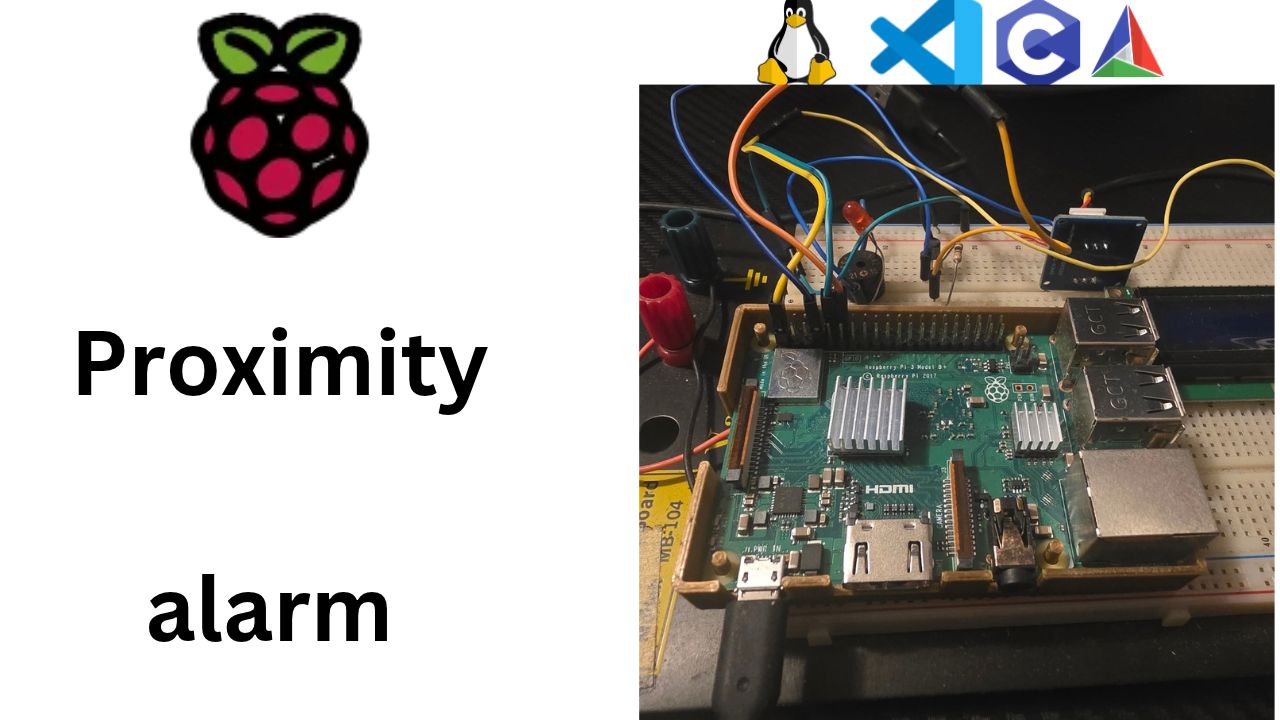
Why I Started Using This Tool
After the last step my proximity alarm printed a heartbeat line every second over SSH. Great on my desk, useless on a shelf across the room with the laptop closed. I wanted what every router and TV already has: a light that says "I'm alive" without needing a screen or a cable.
The Pi already has that light: the green ACT LED. In an earlier part I blinked it from the
console by writing to /sys/class/leds/ACT/, and I made a promise: "Later in the series, our C
program's alive task does exactly what we just did by hand." Today is that day. The kernel can even blink it for
you with the heartbeat trigger. But that's exactly the problem: if the kernel blinks it, it keeps
blinking when my program freezes. I wanted a heartbeat that comes from my own code, so that when the
light stops, I know my program stopped.
Missed the heartbeat thread and shared frame? Start with Part 6: Building a Heartbeat Thread and a Shared Data Frame (video).
Here's the video walkthrough of this post, if you'd rather watch it step by step:
What It Does
The project now has a second task, hwalive.c/h:
- On start, it writes
noneto/sys/class/leds/ACT/triggerto take the LED away from the kernel. - Every second, the thread flips the LED by writing
"1"or"0"tobrightness, then records the new state in the shared frame with a new setter,Frame_setLed(). The software alive task prints the frame, so the console showsled=0,led=1... flipping along with the real LED. - On stop, it joins the thread, turns the LED off, and writes
mmc0back totrigger, giving the LED back to the kernel the way it was.
All the file work is in one small private helper, ledWrite(): fopen,
fputs, fclose, with every return value checked.
A small refactor too: the drift-free timing helpers moved out of swalive.c into a shared
tick.c/h, now that two scheduled tasks need them. And if the LED can't be opened (usually: not
root), main prints a warning and keeps the alarm running. A heartbeat should never be the reason the
real job stops.
Step by Step
1. Quick recap: the LED is a file
In Part 3 we found the ACT LED in the kernel's LED driver, shown to us as a folder of files:
ls /sys/class/leds/ACT/
# brightness  max_brightness  trigger  ...
Two files matter:
| File | What it does |
|---|---|
trigger | Who controls the LED. mmc0 = blink on SD card activity (the default). none = manual control |
brightness | In manual mode: 1 = on, 0 = off |
And we drove it like this:
echo none | sudo tee /sys/class/leds/ACT/trigger      # take manual control
echo 1    | sudo tee /sys/class/leds/ACT/brightness   # on
echo 0    | sudo tee /sys/class/leds/ACT/brightness   # off
echo mmc0 | sudo tee /sys/class/leds/ACT/trigger      # give it back
Remember the gotcha: sudo echo 1 > brightness fails, because the > runs in your
own shell, not as root. That's why we piped into sudo tee.
Here's today's big idea in one sentence: a C program can do exactly the same thing. Open the
file, write the text, close the file. Linux's "everything is a file" means there's no special LED library to
learn. It's the same fopen you'd use for a text file.
2. Why not just use the kernel's heartbeat trigger?
Good question, and I asked it myself. In Part 3 we did this:
echo heartbeat | sudo tee /sys/class/leds/ACT/triggerand the kernel blinked the LED in a nice double-thump, with zero code. Why write a thread at all? Because of what the blink proves:
| Who blinks the LED | If our program freezes... | What the blink proves |
|---|---|---|
The kernel (heartbeat trigger) | ...the LED keeps blinking happily | The kernel is alive |
| Our thread | ...the LED stops | Our program is alive |
A heartbeat that keeps beating after the patient is gone is worse than no heartbeat. It lies to you. Ours has to come from inside our program, from a thread that can only run if the program is running. We'll prove this at the end by freezing the program on purpose.
3. A small refactor first: tick.c/h
Our new task runs on a schedule, just like the software alive task. In Part 6 we wrote two helpers inside
swalive.c for drift-free timing: addMs() and sleepUntil(). They were
static, so only swalive.c could use them.
Copy-pasting them would work... until we fix a bug in one copy and forget the other. When two files need the same code, it gets its own module:
#ifndef TICK_H
#define TICK_H

/************************************************************************/
/*  Tick: drift-free periodic timing on the monotonic clock.            */
/*  Every scheduled task keeps an absolute "next" time, adds its       */
/*  period with Tick_addMs() and sleeps with Tick_sleepUntil().        */
/************************************************************************/

#include <time.h>
#include "ctypes.h"

void Tick_addMs(struct timespec *t, UINT32 ms);
void Tick_sleepUntil(const struct timespec *until);

#endif
tick.c holds the two functions from last time, without static and with a Tick_ prefix, so you always know which file a function lives in:
#include <errno.h>
#include <time.h>
#include "tick.h"

/* Move an absolute time forward by ms, keeping tv_nsec in 0..999999999 */
void Tick_addMs(struct timespec *t, UINT32 ms)
{
    t->tv_sec  += ms / 1000u;
    t->tv_nsec += (long)(ms % 1000u) * 1000000L;
    if (t->tv_nsec >= 1000000000L)
    {
        t->tv_sec++;
        t->tv_nsec -= 1000000000L;
    }
}

/* Sleep until absolute time 'until' on the monotonic clock.
   A signal (e.g. Ctrl+C) can wake us early with EINTR; because the time
   is absolute, simply asking again sleeps only for what is left. */
void Tick_sleepUntil(const struct timespec *until)
{
    while (clock_nanosleep(CLOCK_MONOTONIC, TIMER_ABSTIME, until, NULL) == EINTR)
    {
    }
}
Tick_addMs is unchanged. Tick_sleepUntil got a lot shorter, and it's worth seeing why:
- The Windows fallback is gone. Last time I kept a relative-sleep fallback for my Windows test build. This project ships on the Pi and only the Pi, so I dropped Windows support from the code. On Linux,
clock_nanosleepwithTIMER_ABSTIMEjust works. - We still check the return value.
clock_nanosleepreturns0when it slept until the time, or an error number. The one we can expect isEINTR: a signal, like our Ctrl+C handler, woke the thread early. Here the absolute time pays off again: we simply ask again with the sameuntil, and Linux sleeps only for whatever is left. With a relative sleep you'd have to work out the remaining time yourself.
And swalive.c gets shorter: it includes tick.h and calls:
        Tick_addMs(&next, SWALIVE_PERIOD_MS);
        Tick_sleepUntil(&next);
The program does exactly the same thing as before. That's what a good refactor is: same behavior, better organized.
4. The frame gets a new writer: Frame_setLed
When we designed the frame in Part 6, we put a field in it for today:
BOOLEAN ledOn; /* ACT LED state */Now somebody finally writes to it. In frame.h, one new line:
void Frame_setLed(BOOLEAN on);And in frame.c, the same three-line pattern as Frame_incAlive:
void Frame_setLed(BOOLEAN on)
{
    pthread_mutex_lock(&frameLock);
    frame.ledOn = on;
    pthread_mutex_unlock(&frameLock);
}
Lock, change one field, unlock. That's every setter in this project. Why bother putting the LED state in the
frame at all? Because the frame is the single source of truth. The software alive task prints
the frame, and later the LCD will show it. None of them need to know how the LED works; they just read
ledOn.
One writer per field: the hardware alive task owns ledOn, the software alive task
owns aliveCount. Nobody else writes them.
5. hwalive.h: the public menu
#ifndef HWALIVE_H
#define HWALIVE_H

/************************************************************************/
/*  Hardware alive task: blinks the Pi's onboard ACT LED through the   */
/*  kernel LED driver in /sys, so you can see the app is running from  */
/*  across the room. If the program freezes, the LED freezes too.      */
/************************************************************************/

#include "ctypes.h"

#define HWALIVE_PERIOD_MS   (1000u)                   /* toggle: 1 s on, 1 s off */
#define HWALIVE_LED_DIR     "/sys/class/leds/ACT/"    /* older kernels: led0 */

INT32 HWAlive_start(void);
void  HWAlive_stop(void);

#endif
Same shape as swalive.h: start, stop, a period. Two new things:
HWALIVE_PERIOD_MSis how often we toggle. Toggling every second gives on for 1 s, off for 1 s: a calm, easy-to-read blink.HWALIVE_LED_DIRis the folder from Part 3. It's in one place, so if your kernel calls itled0instead ofACT, you change one line.
6. hwalive.c: the LED thread
#include <pthread.h>
#include <stdio.h>
#include <time.h>
#include "frame.h"
#include "tick.h"
#include "hwalive.h"

static pthread_t        hwThread;
static volatile BOOLEAN hwRunning = FALSE;
Same start as swalive.c: a thread handle and a "keep running" flag, both private to this file.
The helper: echo value | sudo tee file, in C
/* Write one value to one LED file, like: echo value | sudo tee .../file */
static INT32 ledWrite(const CHAR *file, const CHAR *value)
{
    CHAR  path[64];
    FILE *fp;
    INT32 result = 0;

    snprintf(path, sizeof(path), "%s%s", HWALIVE_LED_DIR, file);

    fp = fopen(path, "w");
    if (fp == NULL)
    {
        perror(path);
        return -1;
    }
    if (fputs(value, fp) == EOF)
    {
        result = -1;
    }
    if (fclose(fp) != 0)                            /* sysfs reports errors on flush */
    {
        result = -1;
    }
    if (result != 0)
    {
        perror(path);
    }
    return result;
}
Line by line:
snprintf(path, ...)glues the folder and the file name together:"/sys/class/leds/ACT/"+"brightness".snprintf, neversprintf, so a long name can never overflow the buffer.fopen(path, "w"): open for writing, just like a text file. If this fails,perrorprints why, and the reason is the whole diagnosis:Permission denied→ not running as rootNo such file or directory→ wrong LED name (ACTvsled0)
fputs(value, fp)puts the text in. Notice: this is text,"1"and"0", not the numbers 1 and 0. sysfs files talk in text, exactly likeecho.- Why check
fclose? This one surprises people.fputsdoesn't really write to the kernel yet. The C library collects your text in a buffer and sends it when you close the file. So if the kernel rejects the value (say, a trigger name it doesn't know), the error shows up atfclose, not atfputs. With sysfs, the close is where the truth comes out.
The task code below never touches a file path itself. It just calls ledWrite("brightness", "1"). All the hardware details live in one small function.
The thread:
static void *hwalive_task(void *arg)
{
    struct timespec next;
    BOOLEAN ledOn = FALSE;

    (void)arg;
    clock_gettime(CLOCK_MONOTONIC, &next);

    while (hwRunning)
    {
        ledOn = ledOn ? FALSE : TRUE;
        ledWrite("brightness", ledOn ? "1" : "0");  /* hardware first...       */
        Frame_setLed(ledOn);                        /* ...then report it       */

        Tick_addMs(&next, HWALIVE_PERIOD_MS);
        Tick_sleepUntil(&next);
    }
    return NULL;
}
Put it next to swalive_task from last time. Same skeleton: read the clock once, then loop: do the
job, add the period, sleep until the next absolute tick. Every task in this project will look like this.
ledOn = ledOn ? FALSE : TRUE;flips the state. (You may seeledOn = !ledOn;elsewhere; that works too, but!gives anint, and spelling outTRUE/FALSEkeeps us in our ownBOOLEANtype.)- Hardware first, then the frame. The frame should report what the LED actually is, so we change the LED, then record it.
- No lock around the file write. Writing to sysfs is a system call; it's quick, but it's still slow next to a struct copy.
Frame_setLedholds the lock for one assignment, and the file write happens with no lock at all. Same rule as last time: hold the lock for the data, not for the work.
Start and stop: take the LED, give it back
INT32 HWAlive_start(void)
{
    if (ledWrite("trigger", "none") != 0)           /* take the LED from the kernel */
    {
        return -1;
    }

    hwRunning = TRUE;
    if (pthread_create(&hwThread, NULL, hwalive_task, NULL) != 0)
    {
        hwRunning = FALSE;
        ledWrite("trigger", "mmc0");
        return -1;
    }
    return 0;
}- First,
trigger←none. Same as Part 3: take manual control, or the kernel keeps blinking it for SD card activity and our blinks get mixed with its blinks. - If that fails (usually: not root), return
-1before starting a thread that couldn't do anything anyway. - If the thread can't start, give the LED back. Clean up whatever you set up.
void HWAlive_stop(void)
{
    if (hwRunning)
    {
        hwRunning = FALSE;
        pthread_join(hwThread, NULL);               /* wait for the last toggle */
        ledWrite("brightness", "0");
        Frame_setLed(FALSE);
        ledWrite("trigger", "mmc0");                /* give the LED back: SD card activity */
    }
}pthread_joinfirst, so the thread can't toggle the LED after we turn it off.- Then LED off, frame updated, and the LED handed back to the kernel with
mmc0, exactly like "give the LED back" in Part 3. Leave the hardware the way you found it. A good program cleans up after itself.
7. main.c: one more task, but not a fatal one
#include "swalive.h"
#include "hwalive.h"
...
    if (SWAlive_start() != 0)
    {
        fprintf(stderr, "could not start SW alive task\n");
        return EXIT_FAILURE;
    }

    if (HWAlive_start() != 0)
    {
        /* no LED is not fatal: the alarm must keep working without it */
        fprintf(stderr, "ACT LED not available, running without HW alive task\n");
    }

    printf("Main running. Press Ctrl+C to stop.\n");

    while (running)
    {
        sleep(1);
    }

    HWAlive_stop();                     /* stop in reverse start order */
    SWAlive_stop();
    printf("Main stopped.\n");
Two design decisions worth saying out loud:
- A missing LED is a warning, not an exit. This is a proximity alarm. If the LED file isn't there, the alarm must still beep. For every task, decide: essential, or nice to have? A blinking LED is nice to have.
- Stop in reverse order. Last started, first stopped, like shoes and socks. It doesn't matter much today, but once the buzzer depends on the sensor, it will.
HWAlive_stop() is safe even if the task never started: hwRunning is still FALSE, so it does nothing.
8. CMake
add_executable(proxalarm
    src/main.c
    src/frame.c
    src/tick.c
    src/swalive.c
    src/hwalive.c)
Two new .c files: tick.c and hwalive.c.
9. Build, deploy, watch it blink
cmake --preset pi-debug
cmake --build --preset deploy
Run it by hand first. It needs root to write to /sys, just like sudo tee did:
ssh au@au.local
sudo ./proxalarm
Main running. Press Ctrl+C to stop.
[alive 1] dist=---cm buz=0%/0ms led=0 lcd="Proximity alarm|starting..."
[alive 2] dist=---cm buz=0%/0ms led=1 lcd="Proximity alarm|starting..."
[alive 3] dist=---cm buz=0%/0ms led=0 lcd="Proximity alarm|starting..."
[alive 4] dist=---cm buz=0%/0ms led=1 lcd="Proximity alarm|starting..."
On the board, the green LED: on one second, off one second. In the console, led= flips every line:
two threads, one frame. The hardware alive task writes ledOn, the software alive
task reads it and prints it, and neither one knows the other exists.
You might see led= one step behind what the LED is showing. Both threads wake at the same instant
every second, and whichever one Linux runs first decides whether the print sees the old or the new value. That's
not a bug: a snapshot is always "the frame at the moment I looked."
Press Ctrl+C, then check that we gave the LED back:
cat /sys/class/leds/ACT/trigger
# none rc-feedback ... [mmc0] ...
[mmc0] again, so the LED is back to flickering for SD card activity. Clean exit.
Now the real way. Our service from Part 5 already runs as root:
sudo systemctl restart proxalarmClose the laptop. Reboot the Pi. Walk across the room. Blink... blink... blink. The program is alive, and you can see it without a single cable.
10. Prove it: freeze the program
Remember the claim from step 2, "if our program freezes, the LED freezes"? Let's test it, not just believe it. Linux can pause a process with a signal:
sudo pkill -STOP -x proxalarm # freeze the programThe LED stops, stuck on or stuck off, wherever it was. The console heartbeat stops too. Now:
sudo pkill -CONT -x proxalarm # continue
And it's blinking again. SIGSTOP is exactly what a real freeze looks like from the outside: the
process still exists, systemctl status still says active (running), but nothing
happens. The only alive signal that catches this is one that comes from inside the program. Try the same
thing with the kernel's heartbeat trigger, and the LED keeps blinking right through the freeze.
11. When things go wrong
| Problem | What it means | Fix |
|---|---|---|
/sys/class/leds/ACT/trigger: Permission denied | Not running as root | sudo ./proxalarm, or run it as the service (User=root) |
/sys/class/leds/ACT/trigger: No such file or directory | Older kernel naming | Change HWALIVE_LED_DIR to "/sys/class/leds/led0/" |
| LED flickers randomly instead of a steady blink | The trigger is still mmc0, and the kernel is blinking it too | Check that HWAlive_start ran; look for the warning in journalctl -u proxalarm |
| LED stuck on after the program died | It was killed (SIGKILL, crash) before HWAlive_stop could clean up | echo mmc0 | sudo tee /sys/class/leds/ACT/trigger, or reboot |
led= in the console never changes | The HW task didn't start | Look for "ACT LED not available" at startup |
| LED blinks, then stops; console stops too | The program is frozen or deadlocked | That's the alive task doing its job. Look for a lock that's never unlocked |
12. What's next
That completes our alive tasks. We have a software heartbeat for the SSH console and a hardware heartbeat you can see from across the room, both built on one shared frame with one mutex. Phase 4 starts next: real hardware on the GPIO pins, beginning with the buzzer and its 2N3904 transistor.
Key Takeaways
- The ACT LED is a file.
triggerdecides who controls it (none= us,mmc0= the kernel),brightnessturns it on and off. C uses the samefopen/fputs/fcloseyou'd use for any text file. - The blink has to come from your program. The kernel's
heartbeattrigger proves the kernel is alive; a blink from your own thread proves your program is alive. Freeze the program withSIGSTOPand see the difference. - With sysfs, check
fclose. Your text is buffered and only reaches the kernel when the file is closed, so that's where errors show up. - Every task has the same skeleton: do the job, update the frame with a short lock, sleep until the next absolute tick. When two tasks need the same helper, give it its own module (
tick.c). - Take the hardware, then give it back. Set
triggertononeon start; turn the LED off and restoremmc0on stop. And decide what's essential: no LED means a warning, not a dead alarm.
Final Verdict
If your embedded Linux device has any LED, make your own program blink it. It's maybe 60 lines
of C, and it's the most honest alive signal you can get. My favorite part of this video was proving it:
sudo pkill -STOP -x proxalarm froze the program, the LED froze with it, and
systemctl status still cheerfully said active (running). Only the LED told the truth.
Gotchas I hit, so you don't have to:
- sysfs errors show up at
fclose, notfputs. The C library buffers your text and only sends it on close. Check the close. - Take the trigger first. Without
triggerset tonone, the kernel keeps blinking for SD card activity and your pattern turns into random flicker. - Give it back. Restore
mmc0on exit. If the program is killed hard and the LED stays stuck, oneecho mmc0 | sudo tee .../trigger(or a reboot) fixes it. - It needs root. Same reason
sudo teewas needed on the console. Our systemd service already runs as root, so on boot it just works. - Watch your sampling rate. I first toggled every 500 ms, and the once-a-second console line showed the same
led=value every time: it was sampling in step with the blink. Toggling every second made the console and the LED agree.
It's one green light. But now I can look across the room and know.
Related Videos
- Is Your Raspberry Pi Program FROZEN? This One Blinking LED Tells You Instantly!
- Build a heartbeat thread in C with pthreads and a mutex
- Blink the ACT LED with ZERO code over SSH
- Run your C program on every boot with systemd
- Build, Deploy AND Debug Your Raspberry Pi With ONE Command
- LED toggle via sysfs on BeagleBone Black
- BeagleBone Black LED blink from C code