Why I Started Using This Tool
My last two posts got a UDP message from one socket to another — but both sockets lived on the same
board, talking to 127.0.0.1. That's loopback, and loopback proves nothing about the
network. The question that had been nagging me was simple: what if I don't know the address of every
device that should receive this message? What if I just want to shout it once and let anything
listening on the network pick it up? That's the exact problem UDP broadcast solves, and I wasn't
satisfied until I watched a packet leave the BeagleBone Black and land on a completely different
Windows PC's Wireshark capture — a machine that never had any address hardcoded for it anywhere.
What It Does
In plain English: instead of addressing a packet to one specific machine, you address it to the
whole subnet at once. Every network has a reserved broadcast address — for a typical home or
office range like 192.168.0.x, that's 192.168.0.255. Send a UDP datagram
there, and every device on that network listening on the matching port receives a copy, with zero
per-device addressing required.
- The subnet broadcast address — why it matters — it's the network address with every host bit maxed out. On
192.168.0.0/24that's.255. Send there and the switch/router fans the packet out to everyone on the segment instead of routing it to one host. SO_BROADCAST— how you use it — by default the Linux kernel refuses to let a UDP socket send to a broadcast address; it's a deliberate safety brake, since broadcast traffic can flood a network if left unchecked. Onesetsockopt()call opts your socket in.INADDR_ANYon the receiver — time saved chasing a bug — a broadcast packet's destination address is the broadcast address itself, never the receiving interface's own IP. Bind to your own address here and you will never see the packet arrive; binding toINADDR_ANYis what actually catches it.
The walkthrough
Sending is almost identical to a normal sendto() — the only new step is unlocking
broadcast on the socket first:
int broadcast_enable = 1;
setsockopt(client_fd, SOL_SOCKET, SO_BROADCAST,
           &broadcast_enable, sizeof(broadcast_enable));
Skip that line and sendto() fails outright with a permission error (EACCES)
the instant it targets a broadcast address — the kernel won't even try.
For the destination address itself, I kept things simple and hardcoded it rather than pulling in interface-enumeration code:
#define BROADCAST_IP "192.168.0.255"   // change to match your subnet's broadcast address

inet_pton(AF_INET, BROADCAST_IP, &dest_addr.sin_addr);
sendto(client_fd, MSG, strlen(MSG), 0,
       (struct sockaddr *)&dest_addr, sizeof(dest_addr));
That's a fair trade for a fixed demo network — check your own subnet first with ip addr
or ifconfig and swap in your own .255 address, because if it's wrong,
nothing shows up later in Wireshark and there's no error to tell you why.
The receiver doesn't change at all from the loopback version — it still binds to
INADDR_ANY:
server_addr.sin_family = AF_INET;
server_addr.sin_addr.s_addr = htonl(INADDR_ANY);
server_addr.sin_port = htons(PORT);
bind(server_fd, (struct sockaddr *)&server_addr, sizeof(server_addr));
That matters more here than it did before: a broadcast datagram's destination field is the broadcast address, not your interface's actual IP, so binding to your own specific address would silently receive nothing.
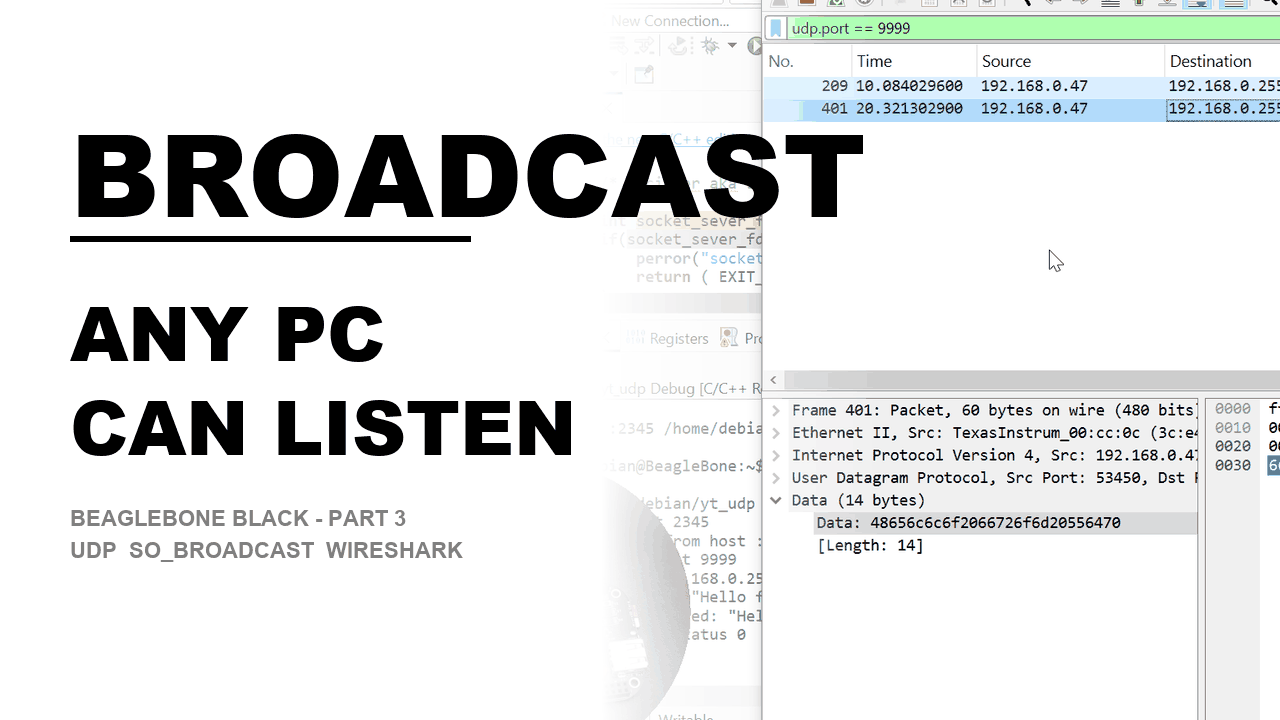
The real proof isn't the board talking to itself — it's a second machine on the same LAN. I filtered
udp.port == 9999 in Wireshark on a separate Windows PC (picking the physical network
interface, not the loopback adapter, matching subnet IPs to find the right one), triggered
the send from the board again, and watched the packet arrive with Source = the board's IP and
Destination = 192.168.0.255. As a bonus, a one-line Python listener caught the exact same
packet at the same moment on a third machine, with zero C code involved:
python -c "import socket; s=socket.socket(socket.AF_INET, socket.SOCK_DGRAM); s.bind(('0.0.0.0', 9999)); print(s.recvfrom(1024))"My Honest Pros & Cons
✅ What I Love
- One send, every listener gets it — no address book, no loop over known clients; broadcast is the simplest possible way to reach an unknown number of devices at once.
- The fix is a single
setsockopt()call — going from "only talks to myself" to "reaches the whole LAN" is one new line plus a different destination address, not a rewrite. - Wireshark makes the concept undeniable — watching a second, unrelated machine catch a packet the board never addressed to it directly is a much stronger proof than trusting a
printf().
❌ What Could Be Better
- Hardcoding the broadcast address is fragile by nature — it only works because I know this demo network's subnet in advance; move the board to a different network and the send silently goes to the wrong place with no error.
- Broadcast doesn't cross routers — it's confined to the local subnet by design, which is easy to forget when your "why isn't this arriving" debugging instinct wants to check firewall rules instead of realizing the packet never left the segment.
- No confirmation of who actually received it — same limitation as plain UDP:
sendto()succeeding only means the kernel accepted it locally, not that any device on the network actually picked it up.
Pricing: Is It Worth It?
No dollar cost — SO_BROADCAST is a standard socket option built into the Linux networking
stack already on the BeagleBone's Debian image, and Wireshark is free. The real cost is setup time: a
second PC on the same physical network, and a couple of minutes picking the correct Wireshark
interface, which was the one step that tripped me up the most.
My take: fifteen minutes to add one setsockopt() call and watch a packet reach a machine
you never addressed is one of the best time-to-payoff moments in this whole series.
Final Verdict
If you've already got a working UDP send/receive pair talking to 127.0.0.1 and want to
see it do something a real application would actually use, broadcast is the natural next step — it's
a single new socket option and one address change away. Beginners should focus on two things:
SO_BROADCAST is required because the kernel treats broadcast as a deliberate opt-in, and
INADDR_ANY on the receiver matters more here than it did with loopback, because the
destination address you see is never your own. If you already understand Berkeley sockets, the only
genuinely new material here is the interface-selection step in Wireshark — the socket code itself is a
five-minute read.