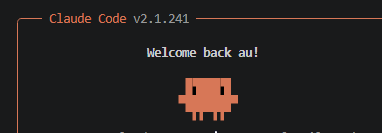
Why I Started Using This Tool
I'd been hearing about Claude Code for weeks before I actually tried it on a real project. When I finally did, I made the classic mistake — I opened the terminal, typed claude, and just started asking questions. The answers were fine, but they were generic. Claude didn't know my project structure, my dependencies, or what the code was even trying to do. It felt like asking a contractor to renovate your house without showing them inside first.
That 10-minute setup ritual I eventually discovered? It completely changed the quality of help I was getting.
What It Does
Claude Code is a command-line AI coding assistant that works directly inside your terminal, no browser tab, no copy-pasting snippets back and forth. It reads your project files, understands your codebase, and helps you write, debug, and refactor code in context.
- Project awareness via
/init: generates aCLAUDE.mdfile that acts as a persistent memory for your project, so Claude always knows what it's working with - Contextual Q&A: instead of generic answers, you get responses tailored to your actual files, function names, and architecture
- Terminal native workflow: no context switching; you stay in your editor and terminal the whole time
My Honest Pros & Cons
✅ What I Love
- The
/initcommand is a genuine game-changer — one command and Claude instantly has context about your project structure, tech stack, and conventions - Asking a few follow-up context questions before diving into tasks dramatically improves the relevance of suggestions
- It plays nicely with virtual environments, so your dependency context is accurate
❌ What Could Be Better
- There's almost no onboarding guidance : you have to discover the setup ritual yourself or read a blog post like this one
- If you forget to activate your virtual environment first, Claude may give advice based on wrong or missing package versions
Pricing: Is It Worth It?
Claude Code is currently included with Claude Pro ($20/month) and Claude Max plans, with usage limits that vary by tier. For hobbyists and solo developers, the Pro plan is likely enough. Teams doing heavy daily use will want to look at Max or the API directly.
My take: If you're already paying for Claude Pro, you're leaving real value on the table by not using Claude Code — the setup cost is 10 minutes, the payoff is ongoing.
Final Verdict
If you're a Python developer who wants AI help that actually understands your project, Claude Code is worth adding to your workflow — but only if you set it up properly. Open your project, activate your virtual environment, launch the CLI, run /init, and then spend two minutes asking Claude a few questions about your codebase before you start making requests. That sequence is the difference between a generic chatbot and a genuinely useful coding partner.
Skip it if you're looking for a no-setup, point-and-shoot experience — the payoff requires a small but deliberate upfront investment.