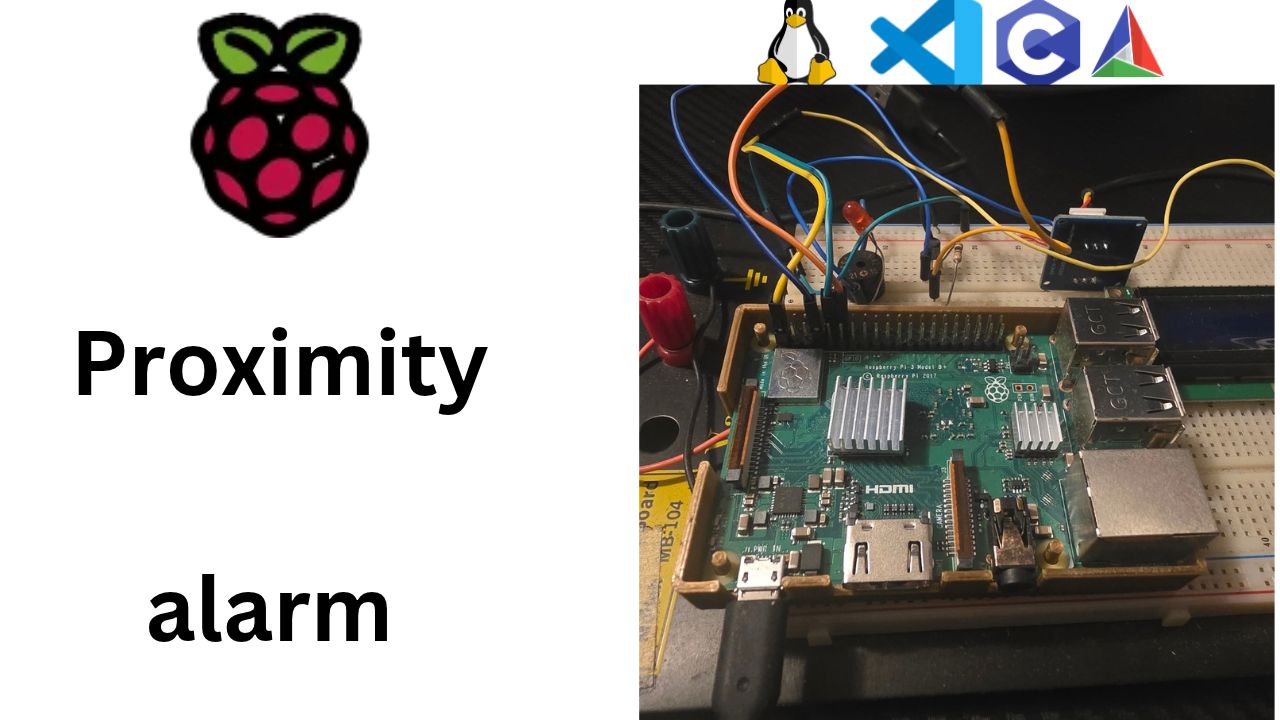
Why I Started Using This Tool
After wiring the HC-SR04, I'd measured a distance from the console with pinctrl and
gpiomon, then did the math by hand. Fun once, useless for an alarm. I needed a thread that measures
on its own, ten times a second, and drops the result into the shared frame the rest of the program already reads.
My first plan was libgpiod, the modern GPIO library. Then I checked my cross-compiler: gcc-linaro 5.1 from 2015, with Linux 4.0 headers. The GPIO character device that libgpiod is built on arrived in 4.8. No header, no library.
That pushed me to /dev/mem, the oldest trick in the embedded Linux book: a file that is the
chip's physical memory. Map one page at the GPIO address from the datasheet, and the registers are just an array
in your program. For timing a pulse to the microsecond, it's about as fast and as direct as it gets. It sounds
scary. It's about twenty lines of C, and once you've seen it, "a register" stops being a mystery word forever.
Missed the sensor wiring? Start with Part 9: Teaching My Raspberry Pi to See: The HC-SR04 and Two Resistors That Save a GPIO Pin (video).
Here's the video walkthrough of this post, if you'd rather watch it step by step:
What It Does
The distance task is one new file, ultrasonic.c, plus one setter in the frame:
- Setup:
open("/dev/mem")as root,mmapone 4 KB page at physical address0x3F200000(the Pi 3's GPIO block; the datasheet's0x7E200000is the bus address), and nowgpio[...]is the hardware. TRIG (GPIO23) becomes an output, ECHO (GPIO24) an input, using the 3-bits-per-pin GPFSEL registers. - Each ping: TRIG high for 10 µs through GPSET0, low through GPCLR0, then spin on GPLEV0 until ECHO goes high, and again until it goes low.
CLOCK_MONOTONICgives the two times, and(t1 − t0) / 58gives centimetres. - Safety: every wait has a timeout, so a missing echo means "no reading" instead of a frozen program. Readings outside 2–400 cm are marked invalid.
- Sharing: the result goes into the frame with
Frame_setDistance(cm, valid), both fields under one lock, so no thread ever sees half an update. - Timing: busy-wait during the echo (microsecond precision), then sleep until the next 100 ms tick with the same drift-free
Tickcode as the alive tasks.
In the console, dist= now follows my hand: 52, 24, 9 cm, and --- when I point it at the
room. With a book and a ruler it's within a centimetre or two.
Step by Step
1. Recap: what the task has to do
From Part 9, one measurement is:
- Pull TRIG (GPIO23) high for 10 µs, then low.
- Wait for ECHO (GPIO24) to go high. Note the time.
- Wait for ECHO to go low again. Note the time.
distance_cm = (t_low − t_high) / 58.
Plus the rules from the datasheet:
- Range about 2 cm to 400 cm. 400 cm is
400 × 58 = 23 200 µsof echo. - If nothing reflects, ECHO stays high for a long time (often ~38 ms), and we treat that as "nothing in range".
- At least 60 ms between pings. We'll use 100 ms: ten readings a second, plenty for an alarm.
And the result goes where we planned it back in the shared frame:
    UINT16  distanceCm;                     /* last HC-SR04 reading       */
    BOOLEAN distanceValid;                  /* FALSE until a good reading */
2. How does a C program talk to a GPIO pin?
So far we've used several ways to touch hardware from Linux. Here's how each one fits this job:
| Way | What it is | Fit for timing an echo? |
|---|---|---|
/sys/class/gpio | The old "pins as files" interface | Deprecated. On new kernels the pin numbers are even shifted (GPIO24 is no longer 24). Skip it. |
| GPIO character device + libgpiod | The modern, official way (/dev/gpiochip0), what gpioset/gpiomon use | The right tool for most projects. But our 2015 cross-compiler only has Linux 4.0 headers, and that interface arrived in 4.8. No linux/gpio.h, no libgpiod to link against. |
/dev/gpiomem | A Raspberry Pi-only driver that maps just the GPIO page | Safer shortcut, works without root. But it hides where the registers are, and it only exists on Pi kernels. |
/dev/mem | The classic Linux device for all of physical memory | ✔ No library needed, works on any Linux board. We map one page at the address from the datasheet, and reading a pin is a single memory read, millions of times a second. |
You can check that toolchain claim yourself:
grep LINUX_VERSION_CODE /c/gcc-linaro-5.1-arm-linux-gnueabihf/arm-linux-gnueabihf/libc/usr/include/linux/version.h
# #define LINUX_VERSION_CODE 262144     → 262144 = 4 × 65536 → Linux 4.0
So /dev/mem it is. Why this one? Because it's the honest, bare-metal view: the file is the
chip's physical address space. Byte 0x3F200000 of /dev/mem is the first GPIO register,
exactly where the datasheet says it is. Nothing in between. Learn it once and the same trick works on almost any
ARM board running Linux.
But respect it, because it comes with two strings attached:
- Root only. Opening
/dev/memneeds root (to be precise, theCAP_SYS_RAWIOcapability). Being in thegpiogroup does not help here. Our service from Part 5 already runs as root, and for testing by hand we usesudo. - A wrong address can hit anything.
/dev/memwill happily map the kernel's own memory, or another device's registers. So we map exactly one 4 KB page, at one fixed, checked address, and we never write outside it.
The trade-off, so you know: when we touch the registers directly, the kernel no longer knows what we're doing with
those two pins. That's fine for pins that only our program uses. It's exactly what pinctrl itself
does under the hood.
3. Registers: the chip's control panel
A register is a 32-bit memory location that isn't really memory: it's wired to hardware. Write to it, and a pin changes. Read it, and you get what's on the pins right now.
Where do the GPIO registers live? Open the BCM2835 ARM Peripherals datasheet (the Pi 3's
BCM2837 uses the same GPIO block) and you'll find GPIO at 0x7E200000. Careful: that's
a bus address, the address seen by the chip's internal bus. The ARM cores see the peripherals
through a different window:
bus address      0x7E200000   (what the datasheet prints)
peripheral base  0x7E000000 → 0x3F000000 on the Pi 3 (as the ARM sees it)
GPIO offset                    + 0x200000
ARM physical     0x3F200000   (what we pass to mmap on /dev/mem)
That base address changes with the Pi model, so this is the one number you must get right:
| Board | Chip | GPIO physical address |
|---|---|---|
| Pi 1, Zero, Zero W | BCM2835 | 0x20200000 |
| Pi 2, Pi 3, Zero 2 W | BCM2836 / BCM2837 | 0x3F200000 |
| Pi 4, Pi 400 | BCM2711 | 0xFE200000 |
| Pi 5 | RP1 | Completely different GPIO chip, not covered here |
Don't take my word for it, ask your Pi:
sudo cat /proc/iomem | grep gpio
# 3f200000-3f2000b3 : gpio@7e200000
There it is: physical 3f200000, named after its bus address 7e200000. And the block is
only 0xB4 bytes long, so one 4 KB page holds all of it.
Inside that block, we need only four kinds of register:
| Register | Offset | What it does |
|---|---|---|
| GPFSEL0..5 | 0x00, 0x04, … | Function select: input, output, or a special function. 3 bits per pin, 10 pins per register |
| GPSET0 | 0x1C | Write a 1 to bit n: pin n goes high. Zeros do nothing. |
| GPCLR0 | 0x28 | Write a 1 to bit n: pin n goes low. Zeros do nothing. |
| GPLEV0 | 0x34 | Read: bit n is the current level of pin n |
The offsets are in bytes, from 0x3F200000. We'll look at the registers as an array of 32-bit words, so
we divide by 4: GPSET0 is word 0x1C / 4 = 7.
Where are GPIO23 and GPIO24 in GPFSEL? Each register holds 10 pins, 3 bits each:
register = pin / 10        GPIO23 → 23 / 10 = 2 → GPFSEL2
shift    = (pin % 10) × 3  GPIO23 → 3 × 3 = 9  → bits 9..11
                           GPIO24 → 4 × 3 = 12 → bits 12..14

the 3 bits:  000 = input   001 = output   (others = special functions)
To change only our 3 bits without touching the other 9 pins in that register, we read, clear, set, write:
gpio[reg] = (gpio[reg] & ~(7u << shift)) | (mode << shift);7u << shiftis three 1-bits sitting on our pin's position.& ~(…)clears those three bits, keeps everything else.| (mode << shift)puts our new mode in.
Why do GPSET and GPCLR exist, instead of one "output level" register? Because writing 1u << 23
to GPSET0 changes only GPIO23, in one write. No read-modify-write, so no risk of fighting with
another program that's changing a different pin at the same moment.
volatile matters here. Normally the compiler is allowed to think: "you just read that
variable, nothing changed it, so I'll reuse the old value." For GPLEV0 that would be a disaster: the
hardware changes it, and the compiler can't see that. Marking the pointer volatile UINT32 *
tells the compiler: every read and write must really happen, every time. Without it, our
wait-for-ECHO loop could become an infinite loop.
4. The frame gets a new writer: Frame_setDistance
Same three-line pattern as Frame_setLed from Part 7. In frame.h:
void Frame_setDistance(UINT16 cm, BOOLEAN valid);In frame.c:
void Frame_setDistance(UINT16 cm, BOOLEAN valid)
{
    pthread_mutex_lock(&frameLock);
    frame.distanceCm    = cm;
    frame.distanceValid = valid;
    pthread_mutex_unlock(&frameLock);
}
Why set both fields in one call, under one lock? Because they belong together. If we set them with two separate calls, another thread could grab a snapshot in between and see "valid, 0 cm": a reading that never happened. Fields that only make sense together are written together.
And Frame_toString from Part 6 already handles both: it prints the number when
distanceValid is TRUE, and --- when it isn't. That code has been waiting
four parts for today.
One writer per field: the ultrasonic task owns distanceCm and distanceValid. Nobody else writes them.
5. ultrasonic.h: the public menu
#ifndef ULTRASONIC_H
#define ULTRASONIC_H

/************************************************************************/
/*  Ultrasonic task: measures distance with the HC-SR04 sensor.        */
/*  A 10 us pulse on TRIG starts a ping, ECHO stays high for the       */
/*  round-trip time of the sound, and distance_cm = time_us / 58.      */
/*  GPIO is accessed through /dev/mem: the BCM2837 GPIO registers at   */
/*  physical address 0x3F200000. Needs root.                           */
/************************************************************************/

#include "ctypes.h"

#define ULTRASONIC_PERIOD_MS    (100u)  /* one ping every 100 ms (datasheet: >= 60 ms) */
#define ULTRASONIC_TRIG_GPIO    (23u)   /* BCM GPIO23, physical pin 16 */
#define ULTRASONIC_ECHO_GPIO    (24u)   /* BCM GPIO24, physical pin 18, via divider */
#define ULTRASONIC_MIN_CM       (2u)    /* closer than this the sensor can't hear the echo */
#define ULTRASONIC_MAX_CM       (400u)  /* farther than this the reading is not reliable */

INT32 Ultrasonic_start(void);
void  Ultrasonic_stop(void);

#endif
Same shape as swalive.h and hwalive.h: start, stop, a period. The pin numbers are
BCM numbers, the same ones from our pin table, with the physical pin in the comment so you can find
the wire. Rewire to other pins? Change two lines.
6. ultrasonic.c: the distance thread
Here's the whole file. Then we'll walk through it piece by piece.
#include <fcntl.h>
#include <pthread.h>
#include <stdio.h>
#include <sys/mman.h>
#include <time.h>
#include <unistd.h>
#include "frame.h"
#include "tick.h"
#include "ultrasonic.h"

/* BCM2837 (Pi 3): peripherals start at 0x3F000000, GPIO block at +0x200000.
   The datasheet lists bus address 0x7E200000; the ARM sees it at 0x3F200000. */
#define GPIO_PHYS_BASE  (0x3F200000u)

/* BCM2837 GPIO registers, as 32-bit word offsets from GPIO_PHYS_BASE */
#define GPFSEL0     (0x00u / 4u)    /* function select: 3 bits per pin, 10 pins per register */
#define GPSET0      (0x1Cu / 4u)    /* write 1 to bit n: pin n goes high */
#define GPCLR0      (0x28u / 4u)    /* write 1 to bit n: pin n goes low  */
#define GPLEV0      (0x34u / 4u)    /* read bit n: current level of pin n */

#define GPIO_INPUT      (0u)
#define GPIO_OUTPUT     (1u)
#define GPIO_MAP_SIZE   (4096u)     /* one page, enough for all GPIO registers */

#define TRIG_PULSE_US       (10u)       /* datasheet: at least 10 us */
#define ECHO_START_US       (30000u)    /* ECHO must go high within this time   */
#define ECHO_END_US         (25000u)    /* 25 ms is about 430 cm: beyond MAX_CM */
#define US_PER_CM           (58u)       /* 343 m/s, there and back */

static pthread_t         usThread;
static volatile BOOLEAN  usRunning = FALSE;
static volatile UINT32  *gpio      = NULL;  /* volatile: every access really hits the hardware */

static void gpioMode(UINT32 pin, UINT32 mode)
{
    UINT32 reg   = GPFSEL0 + (pin / 10u);
    UINT32 shift = (pin % 10u) * 3u;

    gpio[reg] = (gpio[reg] & ~(7u << shift)) | (mode << shift);
}

static void gpioWrite(UINT32 pin, BOOLEAN high)
{
    if (high)
    {
        gpio[GPSET0] = 1u << pin;
    }
    else
    {
        gpio[GPCLR0] = 1u << pin;
    }
}

static BOOLEAN gpioRead(UINT32 pin)
{
    return ((gpio[GPLEV0] >> pin) & 1u) ? TRUE : FALSE;
}

static UINT64 nowUs(void)
{
    struct timespec t;

    clock_gettime(CLOCK_MONOTONIC, &t);
    return (UINT64)t.tv_sec * 1000000u + (UINT64)(t.tv_nsec / 1000);
}

/* Busy-wait until 'pin' reads 'level'. Returns 0 and the time in *at,
   or -1 if it didn't happen within timeoutUs. */
static INT32 waitLevel(UINT32 pin, BOOLEAN level, UINT32 timeoutUs, UINT64 *at)
{
    UINT64 start = nowUs();

    while (gpioRead(pin) != level)
    {
        if ((nowUs() - start) > timeoutUs)
        {
            return -1;
        }
    }
    *at = nowUs();
    return 0;
}

/* One ping. Returns TRUE and the distance in *cm if the echo was in range. */
static BOOLEAN measureCm(UINT16 *cm)
{
    UINT64 t0;
    UINT64 t1;
    UINT64 us;

    if (gpioRead(ULTRASONIC_ECHO_GPIO))             /* last echo still busy */
    {
        return FALSE;
    }

    gpioWrite(ULTRASONIC_TRIG_GPIO, TRUE);          /* 10 us trigger pulse */
    t0 = nowUs();
    while ((nowUs() - t0) < TRIG_PULSE_US)
    {
    }
    gpioWrite(ULTRASONIC_TRIG_GPIO, FALSE);

    if (waitLevel(ULTRASONIC_ECHO_GPIO, TRUE, ECHO_START_US, &t0) != 0)
    {
        return FALSE;                               /* sensor never answered */
    }
    if (waitLevel(ULTRASONIC_ECHO_GPIO, FALSE, ECHO_END_US, &t1) != 0)
    {
        return FALSE;                               /* nothing in range */
    }

    us = t1 - t0;
    if ((us < (UINT64)ULTRASONIC_MIN_CM * US_PER_CM) ||
        (us > (UINT64)ULTRASONIC_MAX_CM * US_PER_CM))
    {
        return FALSE;
    }
    *cm = (UINT16)(us / US_PER_CM);
    return TRUE;
}

static void *ultrasonic_task(void *arg)
{
    struct timespec next;
    UINT16  cm = 0u;
    BOOLEAN valid;

    (void)arg;
    clock_gettime(CLOCK_MONOTONIC, &next);

    while (usRunning)
    {
        valid = measureCm(&cm);
        Frame_setDistance(valid ? cm : 0u, valid);  /* measure first, then lock */

        Tick_addMs(&next, ULTRASONIC_PERIOD_MS);
        Tick_sleepUntil(&next);
    }
    return NULL;
}

INT32 Ultrasonic_start(void)
{
    INT32 fd;
    void *map;

    fd = open("/dev/mem", O_RDWR | O_SYNC);         /* root only: this is all of physical memory */
    if (fd < 0)
    {
        perror("/dev/mem");
        return -1;
    }
    map = mmap(NULL, GPIO_MAP_SIZE, PROT_READ | PROT_WRITE, MAP_SHARED, fd, GPIO_PHYS_BASE);
    close(fd);                                      /* the mapping stays valid */
    if (map == MAP_FAILED)
    {
        perror("mmap /dev/mem");
        return -1;
    }
    gpio = (volatile UINT32 *)map;

    gpioWrite(ULTRASONIC_TRIG_GPIO, FALSE);         /* low before it becomes an output */
    gpioMode(ULTRASONIC_TRIG_GPIO, GPIO_OUTPUT);
    gpioMode(ULTRASONIC_ECHO_GPIO, GPIO_INPUT);

    usRunning = TRUE;
    if (pthread_create(&usThread, NULL, ultrasonic_task, NULL) != 0)
    {
        usRunning = FALSE;
        gpioMode(ULTRASONIC_TRIG_GPIO, GPIO_INPUT);
        munmap(map, GPIO_MAP_SIZE);
        gpio = NULL;
        return -1;
    }
    return 0;
}

void Ultrasonic_stop(void)
{
    if (usRunning)
    {
        usRunning = FALSE;
        pthread_join(usThread, NULL);               /* wait for the last ping */
        gpioMode(ULTRASONIC_TRIG_GPIO, GPIO_INPUT); /* leave the pin safe */
        munmap((void *)gpio, GPIO_MAP_SIZE);
        gpio = NULL;
        Frame_setDistance(0u, FALSE);
    }
}
Let's walk through it.
The one address: GPIO_PHYS_BASE. 0x3F200000 is the number from step 3,
with the datasheet's bus address in the comment so the next reader can check it. On another Pi model, this is the
only line you change.
Opening the door: open + mmap. open("/dev/mem") asks the
kernel for access to physical memory, and that's where root comes in. mmap then takes one 4 KB
page starting at GPIO_PHYS_BASE (the last argument, the offset into /dev/mem,
is the physical address) and makes it show up inside our program's memory, at an address
the kernel picks. That offset must be a multiple of the page size, 4096; 0x3F200000 is. From now on,
gpio[7] is the GPSET0 register: no system call, no driver in the middle, just a memory
access. We can close the file right away; the mapping stays valid until munmap.
O_SYNC is not optional here. On /dev/mem it asks for an
uncached mapping. Without it, the CPU could keep an old copy of GPLEV0 in its cache and our loop
would never see ECHO change.
Setting up the pins. TRIG becomes an output, ECHO an input. Notice the order: we write TRIG low first, then switch it to output. That way the pin can't flash high for a moment and trigger a stray ping. ECHO needs no pull-up or pull-down: the 2 kΩ resistor from our divider already holds it low.
The four little helpers are the register math from step 3, each in its own function with a
readable name. Inside the measurement code we just write gpioWrite(TRIG, TRUE), and nobody has to
remember that GPSET0 lives at 0x1C.
nowUs(): a microsecond clock. clock_gettime(CLOCK_MONOTONIC) gives
seconds plus nanoseconds. We fold them into one 64-bit microsecond count, so subtracting two times is a single
-. Monotonic, as always in this series: it never jumps when the Pi syncs its clock over the network.
The 10 µs pulse is a tiny spin loop. Why not usleep(10)? Because a sleep means "wake
me up at least 10 µs from now", and Linux may take a lot longer to bring us back. For 10 µs, simply
watching the clock is more precise. And the datasheet only asks for at least 10 µs, so a pulse that's
slightly long is fine.
waitLevel and the timeouts. Every wait has a deadline. That's the most important habit
in hardware code: never wait forever for a pin. A loose wire, a missing sensor, a soft cushion that
swallows the sound: any of them would hang a loop without a timeout, and our alarm would freeze. With timeouts, the
worst case is "no reading this time".
ECHO_START_US(30 ms): the sensor should start its echo pulse within a few hundred µs of the trigger. If it never does, something is wrong with the sensor or the wiring.ECHO_END_US(25 ms ≈ 430 cm): any echo pulse longer than that is beyond what we trust. We stop waiting and report "nothing in range".
Range check. Readings under 2 cm or over 400 cm are reported as not valid. The buzzer task will treat "not valid" as "nothing close": silent.
Why busy-wait here, when every other task sleeps? Good question, because it's a real trade-off:
| Sleeping (alive tasks) | Busy-waiting (echo timing) | |
|---|---|---|
| CPU while waiting | ~0 % | 100 % of one core |
| Timing precision | Milliseconds, whenever Linux wakes us | About a microsecond: we read the pin as fast as the loop spins |
For the ECHO pulse, 1 µs of error is 0.02 cm, while waking up late by 1 ms would be 17 cm of error. So we spin, but
only for the length of one echo (≤ 25 ms), and then we go back to sleeping on the drift-free Tick
timing from Part 7.
Honest cost: with nothing in range, the task spins ~25 ms out of every 100 ms: about 25 % of one core. With something close it's much less (50 cm ≈ 3 ms). The Pi 3 has four cores, so the alive tasks, and later the buzzer and LCD, have plenty of room.
Lock only to write the result. The thread measures first, without the lock, and then calls
Frame_setDistance, which locks for a few nanoseconds. Never hold the frame mutex while waiting for
hardware. If we held it during a 25 ms echo, every other task would be stuck for 25 ms waiting to read the frame.
Ultrasonic_stop leaves things the way we found them. Join the thread, set TRIG back to
an input (just like pinctrl set 23 ip pd at the end of Part 9), unmap the page, and mark the distance
invalid. Same clean-up habit as handing the ACT LED back to mmc0 in Part 7.
7. main.c: this one is fatal
#include "ultrasonic.h" if (Ultrasonic_start() != 0)
{
/* an alarm that can't see is useless: this one is fatal */
fprintf(stderr, "could not start ultrasonic task\n");
HWAlive_stop();
SWAlive_stop();
return EXIT_FAILURE;
} Ultrasonic_stop(); /* stop in reverse start order */
HWAlive_stop();
SWAlive_stop();
Compare this with the ACT LED in Part 7. No LED? We print a warning and keep going, because the alarm still works.
No sensor? Then the alarm is blind, and pretending to run would be worse than stopping. So we stop the
tasks we already started and exit with a failure code. systemd sees that failure and logs it, so
journalctl -u proxalarm tells you exactly why. Forgot sudo? That lands here too, with
/dev/mem: Permission denied on the line above.
Deciding which failures are fatal is a design decision, not a coding detail. Write it down in a comment, like we did.
8. CMake
add_executable(proxalarm
    src/main.c
    src/frame.c
    src/tick.c
    src/swalive.c
    src/hwalive.c
    src/ultrasonic.c)
One new .c file. No new library to link: open, mmap and
clock_gettime are all part of the C library we already use.
9. Build, deploy, measure
cmake --preset pi-debug
cmake --build --preset deploy
Run it by hand first. With /dev/mem, sudo is required:
ssh au@au.local
sudo ./proxalarm
Main running. Press Ctrl+C to stop.
[alive 1] dist=---cm buz=0%/0ms led=0 lcd="Proximity alarm|starting..."
[alive 2] dist=52cm buz=0%/0ms led=1 lcd="Proximity alarm|starting..."
[alive 3] dist=51cm buz=0%/0ms led=1 lcd="Proximity alarm|starting..."
[alive 4] dist=24cm buz=0%/0ms led=0 lcd="Proximity alarm|starting..."
[alive 5] dist=9cm buz=0%/0ms led=0 lcd="Proximity alarm|starting..."
[alive 6] dist=---cm buz=0%/0ms led=1 lcd="Proximity alarm|starting..."
The very first line can show ---: the software alive task printed before the first ping finished.
After that, dist= follows your hand. Move it closer and the number drops. Point the sensor at the
ceiling, or at the open room, and you'll see ---: nothing in range.
The ruler test. Put a book flat in front of the sensor at 10, 50 and 100 cm, measured from the
front of the silver eyes. You should be within a centimetre or two. Compare that with the gpiomon test
from Part 9: same sensor, same wiring, but now the timing happens inside our own loop instead of passing through the
kernel's interrupt handling first.
Three threads, one frame. The ultrasonic task writes the distance, the hardware alive task writes the LED state, the software alive task reads both and prints them. None of them call each other.
Press Ctrl+C, then check that TRIG was left safe:
pinctrl get 23
# 23: ip    -- | lo // GPIO23 = input
An input again. (Your exact output depends on the pinctrl version; the important bit is
ip.) Now the real way, as the service from Part 5, which runs as root, so /dev/mem just
works:
sudo systemctl restart proxalarm
journalctl -u proxalarm -f          # watch the frame lines, Ctrl+C to stop watching
10. When things go wrong
| Problem | What it means | Fix |
|---|---|---|
/dev/mem: Permission denied | You're not root. The gpio group is not enough for /dev/mem | sudo ./proxalarm, or run it as the service |
mmap /dev/mem: Operation not permitted | The kernel restricts /dev/mem (CONFIG_STRICT_DEVMEM, or an iomem= setting) | Check /boot/firmware/cmdline.txt for iomem=strict. Stock Raspberry Pi OS allows GPIO access as root |
Runs, but always --- and pinctrl get 23 never shows op | Wrong GPIO_PHYS_BASE for your Pi model: we're poking at the wrong page | sudo cat /proc/iomem | grep gpio and put that address in GPIO_PHYS_BASE |
could not start ultrasonic task and the program exits | That's our fatal path doing its job | Read the line just above it for the real reason |
Always dist=---cm | No echo: sensor not powered, Trig/Echo swapped, or nothing in front of it | Re-run the pinctrl + gpiomon test from Part 9. If that fails too, it's wiring, not code |
Always ---, and gpiomon showed nothing in Part 9 either | ECHO never reaches the Pi | Check the divider: the middle point must go to pin 18 |
| A reading now and then is much too big | Linux paused our thread for a moment in the middle of an echo | Normal for a busy desktop-style OS. Later improvements: real-time priority (SCHED_FIFO) or a median of 3 readings |
| Readings jump around a lot | Soft or angled target, or two sensors pinging at once | Use a flat, hard target facing the sensor |
| Distance correct but the console shows it a bit late | The alive task prints every 500 ms, the sensor measures every 100 ms | Expected: the print shows the latest reading at that moment |
pinctrl get 23 shows op after a crash | The program was killed before Ultrasonic_stop could clean up | pinctrl set 23 ip pd, or reboot |
11. What's next
The alarm can see: ten times a second, distanceCm and distanceValid land
in the frame. And the buzzer from Part 8 has been sitting on the breadboard, waiting. Next we write the
buzzer task: it reads the distance from the frame and turns it into buzzerVolume and
buzzerPeriodMs, driving GPIO18's hardware PWM. Far away: nearly silent. Close: loud and urgent. That's
the moment this project becomes a real proximity alarm.
Key Takeaways
/dev/mem+mmapat0x3F200000puts the Pi 3's GPIO registers in your program's memory. No library, no system call per access, and it works on any Linux board. We use it because our 2015 toolchain has nolinux/gpio.h./dev/memis all of physical memory: root only, and map exactly one page. The base address depends on the Pi model (check/proc/iomem)./dev/gpiomemis the Pi's safer, non-root shortcut to the same page.- Four registers do it all: GPFSEL (3 bits per pin: input/output), GPSET (write 1 → high), GPCLR (write 1 → low), GPLEV (read the level). Change only your own bits, use
O_SYNC, and make the pointervolatile. - Busy-wait for microseconds, sleep for milliseconds, and never wait without a timeout. Spin to time the ECHO pulse (~1 µs precision), give up after 25 ms, then sleep with
Tick_sleepUntiluntil the next ping. - Measure without the lock, then write both fields together with
Frame_setDistance(cm, valid). And decide on purpose which failures are fatal: no LED is fine, no sensor is not.
Final Verdict
Going down to physical memory was less scary than I expected: one address, four registers, a few lines of bit math,
and one volatile. It's also a great way to really understand what a "GPIO library" does underneath. For
a project on a modern toolchain, I'd still start with libgpiod. And if you don't want to run as root, the Pi's own
/dev/gpiomem maps the same page more safely. But for seeing exactly where the hardware lives,
/dev/mem is the clearest teacher there is.
Gotchas I hit, so you don't have to:
/dev/memneeds root. Thegpiogroup isn't enough. Usesudoby hand; the systemd service already runs as root.- The address depends on the Pi model.
0x3F200000on a Pi 3,0xFE200000on a Pi 4,0x20200000on a Pi 1/Zero.sudo cat /proc/iomem | grep gpiotells you. - Map one page, nothing more.
/dev/memwill let you write anywhere, including over the kernel. - Forget
O_SYNCorvolatileand your wait loop may never end. The compiler and the cache don't know the hardware changes GPLEV0. - Write TRIG low before making it an output, or you can fire a stray ping on startup.
- Never wait on a pin without a timeout. A loose wire shouldn't freeze your alarm.
- Don't hold the mutex while you measure. Measure first, then lock just long enough to write.
- Busy-waiting costs CPU. Up to ~25 % of one core with nothing in range. Fine on a 4-core Pi 3, but know it's there.
- The occasional wild reading is Linux pausing your thread mid-echo. A median filter or real-time priority fixes it later.
- Decide what's fatal. No LED: keep running. No sensor: stop and say why.
Next up: the buzzer task, which finally turns distanceCm into sound.